Guide
How to make satisfying physics videos for TikTok, Reels and Shorts
A while ago I kept seeing videos of balls bouncing, multiplying and getting crushed, with millions of views. I thought: I can make those too. Two months later, our account @nexusboxlab gets 1 to 2 million views on a normal video, and our best one passed 45 million. Here's what I learned, and how you can make your own.
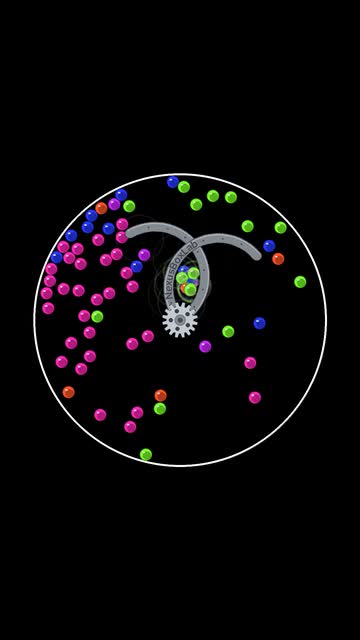
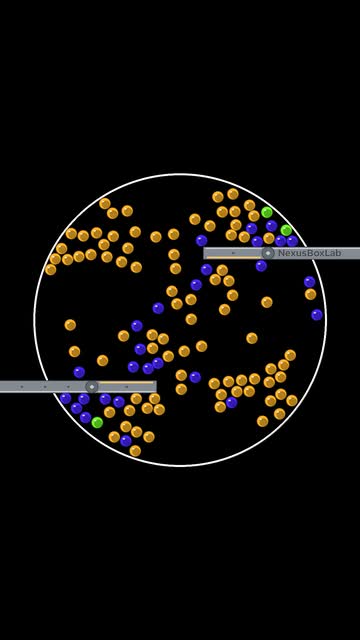
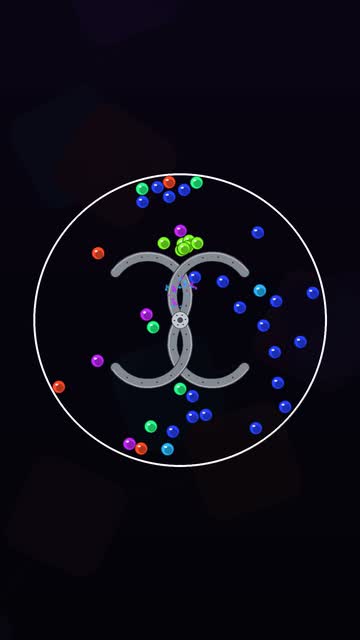
What these videos are
They're short 2D physics simulations with one simple rule that keeps building up. A ball bounces in a circle and every bounce makes a new ball. A press crushes a ball into four new ones. The screen fills up until something breaks. You understand the rule in a second, and then you can't stop watching to see how it ends.
They work the same on TikTok, Instagram Reels and YouTube Shorts.
8 rules for a video people watch to the end
1Make it clear in 2 seconds
People decide almost instantly if they'll keep watching. If they can't tell what's about to happen, they scroll. Too many moving parts, too much text or a busy background all make them leave.
2Grab them with the first sound
The first second needs one simple picture and one satisfying sound. The picture shows what's going on. The sound makes them stay.
3Don't add text
Most of our best videos have no title at all. If people need words to understand the video, simplify the video. Only add a short line when there's really no other way.
4Sound is half the video
Every sound should match something on screen, like a pop when a ball appears. That gives the video a rhythm. Use 2 to 4 sounds at most, and no music.
5Use few colors
Keep the background, the arena and the machine plain (for example black, white and grey) and put the color on the balls. Strong contrast makes everything easy to see on a phone.
6Build up to a big ending
People stay to see how it ends. Let things grow, like more and more balls filling the arena, and finish with a big moment, like the arena bursting with one loud sound.
7Keep it 20 to 40 seconds
Shorter doesn't build up enough. Longer loses people. Looping doesn't seem to matter much.
8Keep posting simple
The time of day doesn't matter much. Post regularly and use a few hashtags that describe what's in the video.
How to make one in Python
If you know a bit of Python, you can build a simple one yourself. We'll make a ring where every time a ball hits the wall, a new ball appears. We'll use three tools:
- pymunk runs the physics (balls moving and bouncing).
- pygame draws each frame as an image.
- ffmpeg joins the images into a video.
Install the first two with pip install pymunk pygame, and install ffmpeg from its website.
1Set up the world
Pick the video size and length, and create the physics world. We leave out gravity so the balls keep their speed.
import math
import pygame
import pymunk

W, H, FPS, SECONDS = 1080, 1920, 30, 20   # a vertical 9:16 video
CENTER = (W / 2, H / 2)
RING, BALL = 440, 18                      # ring and ball radius, in pixels

space = pymunk.Space() # no gravity: the balls keep moving2Build the ring
The physics engine can't use a hollow circle, so we build the ring from 120 short straight pieces placed in a circle. An elasticity of 1 means balls bounce off it without losing speed.
steps = 120
for i in range(steps):
    a = 2 * math.pi * i / steps
    b = 2 * math.pi * (i + 1) / steps
    start = (CENTER[0] + RING * math.cos(a), CENTER[1] + RING * math.sin(a))
    end = (CENTER[0] + RING * math.cos(b), CENTER[1] + RING * math.sin(b))
    piece = pymunk.Segment(space.static_body, start, end, 4)
    piece.elasticity, piece.friction = 1.0, 0.0
space.add(piece)3Add a ball
This function creates a ball with a position, a speed and a color, and adds it to the world. Then we add the first ball in the middle.
balls = []

def add_ball(position, velocity, hue):
    body = pymunk.Body(1, pymunk.moment_for_circle(1, 0, BALL))
    body.position, body.velocity = position, velocity
    shape = pymunk.Circle(body, BALL)
    shape.elasticity, shape.friction = 1.0, 0.0
    space.add(body, shape)
    color = pygame.Color(0)
    color.hsva = (hue % 360, 80, 100, 100)
    balls.append({"body": body, "color": color, "hue": hue, "touching": False})

add_ball(CENTER, (420, 310), 0) # the first ball4Make it grow
This is the rule that makes it satisfying. Every time a ball touches the ring, a new ball appears in the middle, in a new color, heading a slightly different way. We stop at 400 balls so it doesn't get too slow.
def spawn_copies():
    for ball in list(balls):
        distance = (ball["body"].position - CENTER).length
        touching = distance > RING - BALL - 6
        if touching and not ball["touching"] and len(balls) < 400:
            new_velocity = ball["body"].velocity.rotated(0.4)
            add_ball(CENTER, new_velocity, ball["hue"] + 37)
ball["touching"] = touching5Draw every frame
For each frame of the video, we move the physics forward, add the new balls, and draw everything: black background, white ring, colored balls. Each frame is saved as an image in a frames folder (create it first).
pygame.init()
screen = pygame.Surface((W, H))

for frame in range(FPS * SECONDS):
    for _ in range(4):                    # 4 small physics steps per frame
        space.step(1 / (FPS * 4))
    spawn_copies()
    screen.fill((0, 0, 0))                                         # black background
    pygame.draw.circle(screen, (255, 255, 255), CENTER, RING + 4, 8)  # white ring
    for ball in balls:
        pygame.draw.circle(screen, ball["color"], ball["body"].position, BALL)
pygame.image.save(screen, f"frames/{frame:05d}.png")6Turn the frames into a video
This joins all the images into a 1080 x 1920 video at 30 frames per second:
ffmpeg -framerate 30 -i frames/%05d.png -c:v libx264 -pix_fmt yuv420p -crf 18 video.mp4See the full code in one piece
import math
import pygame
import pymunk

W, H, FPS, SECONDS = 1080, 1920, 30, 20   # a vertical 9:16 video
CENTER = (W / 2, H / 2)
RING, BALL = 440, 18                      # ring and ball radius, in pixels

space = pymunk.Space()                    # no gravity: the balls keep moving

steps = 120
for i in range(steps):
    a = 2 * math.pi * i / steps
    b = 2 * math.pi * (i + 1) / steps
    start = (CENTER[0] + RING * math.cos(a), CENTER[1] + RING * math.sin(a))
    end = (CENTER[0] + RING * math.cos(b), CENTER[1] + RING * math.sin(b))
    piece = pymunk.Segment(space.static_body, start, end, 4)
    piece.elasticity, piece.friction = 1.0, 0.0
    space.add(piece)

balls = []

def add_ball(position, velocity, hue):
    body = pymunk.Body(1, pymunk.moment_for_circle(1, 0, BALL))
    body.position, body.velocity = position, velocity
    shape = pymunk.Circle(body, BALL)
    shape.elasticity, shape.friction = 1.0, 0.0
    space.add(body, shape)
    color = pygame.Color(0)
    color.hsva = (hue % 360, 80, 100, 100)
    balls.append({"body": body, "color": color, "hue": hue, "touching": False})

add_ball(CENTER, (420, 310), 0)           # the first ball

def spawn_copies():
    for ball in list(balls):
        distance = (ball["body"].position - CENTER).length
        touching = distance > RING - BALL - 6
        if touching and not ball["touching"] and len(balls) < 400:
            new_velocity = ball["body"].velocity.rotated(0.4)
            add_ball(CENTER, new_velocity, ball["hue"] + 37)
        ball["touching"] = touching

pygame.init()
screen = pygame.Surface((W, H))

for frame in range(FPS * SECONDS):
    for _ in range(4):                    # 4 small physics steps per frame
        space.step(1 / (FPS * 4))
    spawn_copies()
    screen.fill((0, 0, 0))                                         # black background
    pygame.draw.circle(screen, (255, 255, 255), CENTER, RING + 4, 8)  # white ring
    for ball in balls:
        pygame.draw.circle(screen, ball["color"], ball["body"].position, BALL)
    pygame.image.save(screen, f"frames/{frame:05d}.png")
Adding sound
A silent video won't do well: remember, sound is half the video. The idea is simple. While the simulation runs, write down the frame where each event happens, like a new ball appearing. Then build an audio track that plays a pop at each of those moments (the pydub library can do this), and add it to the video with ffmpeg.
In practice, this is where it takes the most time. A hundred pops at once sounds like noise, so you need limits and volume control. And every time you change something, you have to run everything again to hear the result.
The easy way: NexusBoxLab
Building all of this took us a long time, so we turned it into a tool anyone can use. NexusBoxLab runs in your browser. You change the simulation and see the result live, and you get a finished video with sound in minutes. No code.
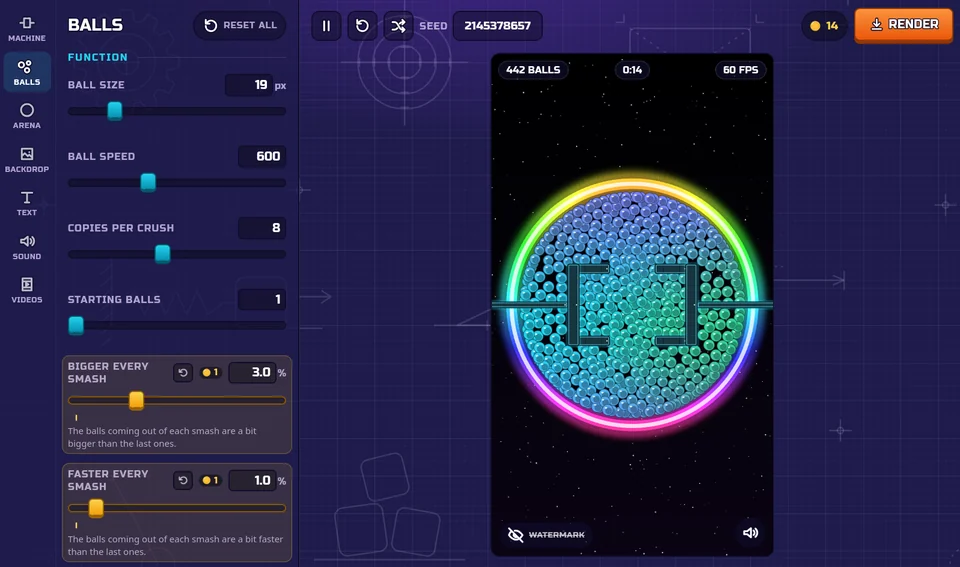
- Pick a machine. 14 machines that crush balls and turn them into more balls.
- Change it live. Ball speed and size, how many new balls each crush makes, the arena's shape and size.
- Keep it clean. A dark background, a light arena and a plain machine. You can also put your own pictures on the balls.
- Choose the sounds. A pop for every new ball, a machine sound, and a sound for the ending. Already done for you.
- Set the ending. Make the arena burst at a number of balls, or after some time.
- Render. A vertical 1080 x 1920 video with sound, ready for TikTok, Reels and Shorts.
Make your first one in a few minutes
Free to try. Videos with the free options render for free.
Open the labQuestions
What are satisfying physics videos?
Short videos of a 2D physics simulation, like balls bouncing in a ring, machines crushing and multiplying balls, or chain reactions. They're one of the most popular formats on TikTok, Instagram Reels and YouTube Shorts.
Do I need to know how to code?
No. You can code one in Python, but NexusBoxLab lets you build one and make the video in your browser without any code.
How long should the video be?
20 to 40 seconds: long enough to build up to a big ending, short enough that people watch to the end.
Should I add music?
No. The sounds of the simulation itself, like pops and impacts, work better because they match what's happening on screen.
What size should the video be?
Vertical 9:16, 1080 x 1920, at 30 frames per second. That's the native format of TikTok, Reels and Shorts.
Is NexusBoxLab free?
Yes. Everything is free to try in the live preview, and videos made with the free options are free to render, with a small watermark.
Making split-screen videos? Read: split-screen background videos without the copyright headaches.