Guide
Promote your brand with satisfying videos
People scroll past ads in a second. They don't scroll past something satisfying. A short physics video with your product on the balls, your brand behind the machine and your offer on screen gets watched to the end, and it doesn't need a camera, a script or anyone on screen.
A made-up donut shop: a donut on every ball, the shop as the backdrop, the offer at the bottom.
Why satisfying videos work for brands
Most ads lose people in the first second, because they look like ads. A satisfying video looks like content: balls bouncing, a machine crushing them, more and more filling the screen. People stop to see what happens next, and your brand is on screen the whole time.
Our account @nexusboxlab posts nothing but these videos, and most of them get 1 to 2 million views on their own. Put your product inside one and it gets the same attention.
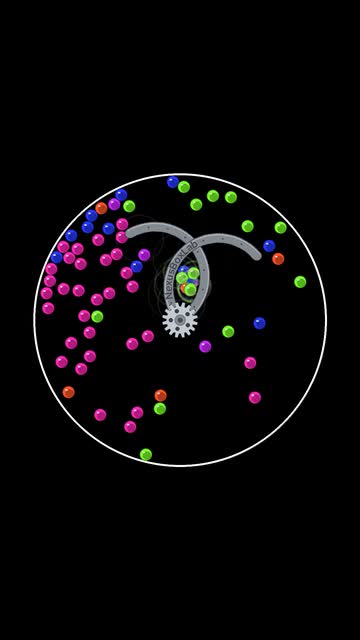
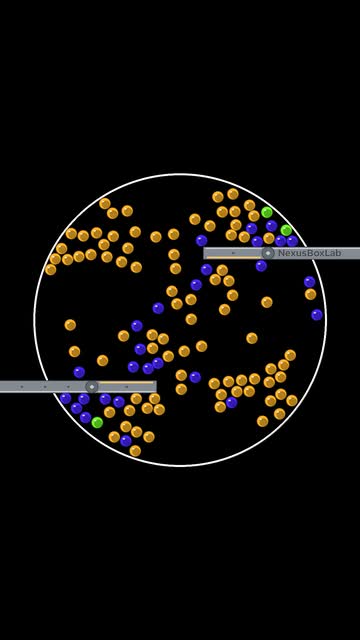
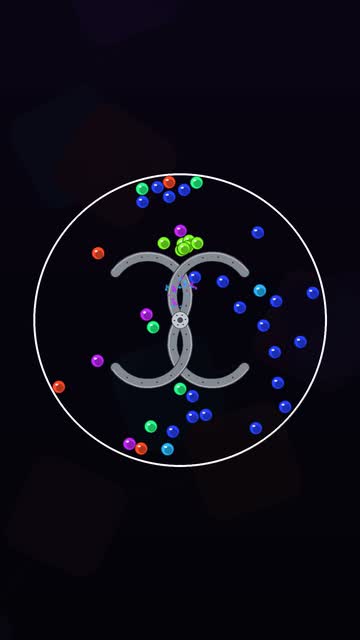
Stops the scroll
Motion and a clear payoff keep people watching, and watch time is what TikTok, Instagram and YouTube reward.
Works with the sound off
The whole story is visual, so it works in a feed where most people scroll muted.
No filming, no actors
No camera, no studio, no one has to talk to the camera. A logo and a product photo are enough.
Yours to use
You own the videos you make, including for commercial use, and there's no footage or music in them that belongs to someone else.
What goes in the video
Every video has four places for your brand:
On the balls
Your product, logo or mascot on every ball. A PNG with a see-through background bounces around on its own, without a ball behind it.
The backdrop
A photo of your shop, your product or a branded poster behind the machine. Lower its opacity if you want the background colors to show.
The title
Your offer or call to action at the top: "Buy 2 get 1 free", "New flavor out now", "Link in bio".
Your colors
Match the balls, the machine, the arena line and the background to your brand colors.
Ideas for your business
A few ideas to start from:
Cafe, bakery or restaurant
Your signature dish on the balls, your counter or menu as the backdrop, today's deal in the title.
Shop or product
The product on the balls, multiplying with every crush: "one becomes ten". Great for a launch or a restock.
App, channel or creator
Your logo or icon on the balls and your handle in the title. A video people share is free reach.
Event or promotion
The date and place in the title, the poster as the backdrop, and the arena bursting at the end as the countdown runs out.
How to make one
In NexusBoxLab, pick a machine and your colors, then add your brand in four places. Each step shows where it is in the lab:
-
1Put your product on the balls.
Open the Balls tab. Under Look, "Your image on the balls" takes any photo or logo and crops it to a circle on every ball. With a PNG with a see-through background, set "Ball behind the image" to 0 and your product bounces on its own.
Open this in the lab -
2Put your brand behind the machine.
Open the Backdrop tab and pick "Your image as the backdrop": a photo of your shop, your product or a branded poster. It fills the whole video behind the arena.
Open this in the lab -
3Write your offer.
Open the Text tab and type the offer or call to action in "Title, line 1". A few words, read in a second.
Open this in the lab -
4Render it without the watermark.
Press Render. Every video comes out as a vertical 1080 x 1920 MP4. Turn on "Remove watermark" for a clean ad, and turn off "Share in the gallery" if you'd rather keep the design to yourself.
Your own pictures are unlocked once you've bought any credit pack, and cost 2 credits each. Removing the watermark costs 5 credits. In the Render window you can turn off "Share in the gallery" if you'd rather keep the design to yourself.
Where to post it
One video works in many places:
Regular posts
Post it on TikTok, Instagram Reels and YouTube Shorts like any other video. These videos can reach far beyond your followers.
Stories
A short loop with your offer works well in Instagram and Facebook stories, with a link sticker.
Paid ads
Use it as the creative in TikTok or Meta ads. Each platform has its own ad rules, so check them before you run it.
In your shop
Play it on a screen at the counter or in the window. Motion catches the eye of people walking by.
Tips for a video that sells
- Make it readable in two seconds: one product, one offer, high contrast.
- Show the offer early and keep it on screen the whole time.
- Keep it short: 10 to 30 seconds is plenty for an ad.
- Use a clear picture: a product photo with a see-through background looks best on the balls.
- Make several versions with different machines and colors, and keep the one that gets watched most.
Make your first brand video
Free to try. Build it in the live preview and render it when it looks right.
Open the labQuestions
Can I use NexusBoxLab videos to promote my business?
Yes. You own the videos you make, and you're allowed to use the graphics and sounds in them, including for commercial use and ads.
Can I put my logo or product in the video?
Yes. Put any picture on every ball or behind the machine as the backdrop. Your own pictures are unlocked once you've bought any credit pack, and cost 2 credits each.
Do I need to film anything?
No. Everything is generated in your browser from your settings. A logo and a product photo are all you need.
What format do I get?
A vertical 1080 x 1920 MP4 at 30 fps, the format TikTok, Instagram Reels, YouTube Shorts and stories use.
Can I remove the watermark?
Yes, for 5 credits. Videos made with the free options render for free with a small watermark.
Will it get my ad approved or bring sales?
We can't promise that: each platform reviews ads with its own rules, and results depend on your product and your offer. What we can say is that these videos hold attention, which is where every ad starts.
New to these videos? Read our guide: how to make satisfying physics videos.